
26-03-17 – Copy self-check points, more comments on service point, select start page, link print template to order type …
Multiple comment suggestions per service point
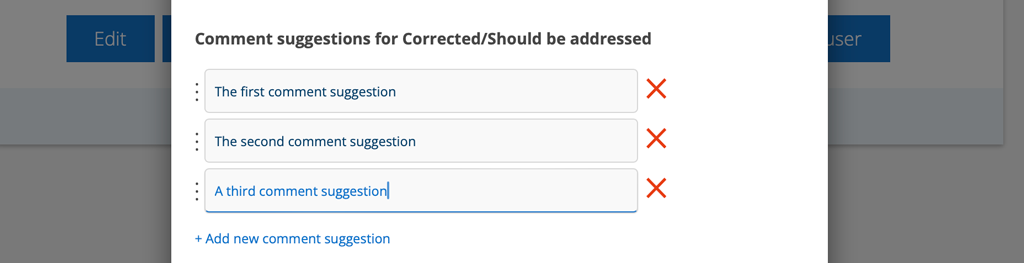
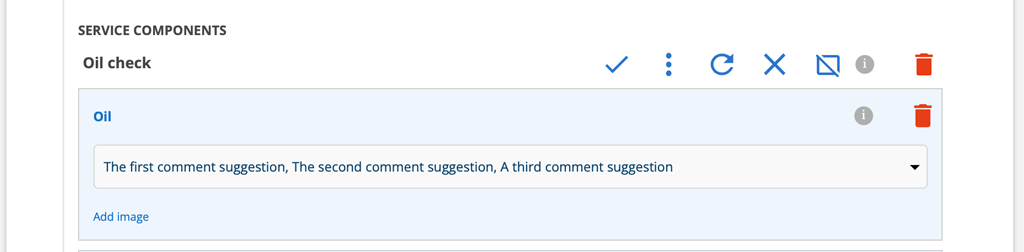
You can now select multiple comment suggestions for a service point. The comments are placed on a line with a , (comma) between them.
Comment Suggestions are added in Group Settings – Service Protocol Settings. Admin permissions are required to add suggestions.
News concerning Self-checks
Duplicate self-check points
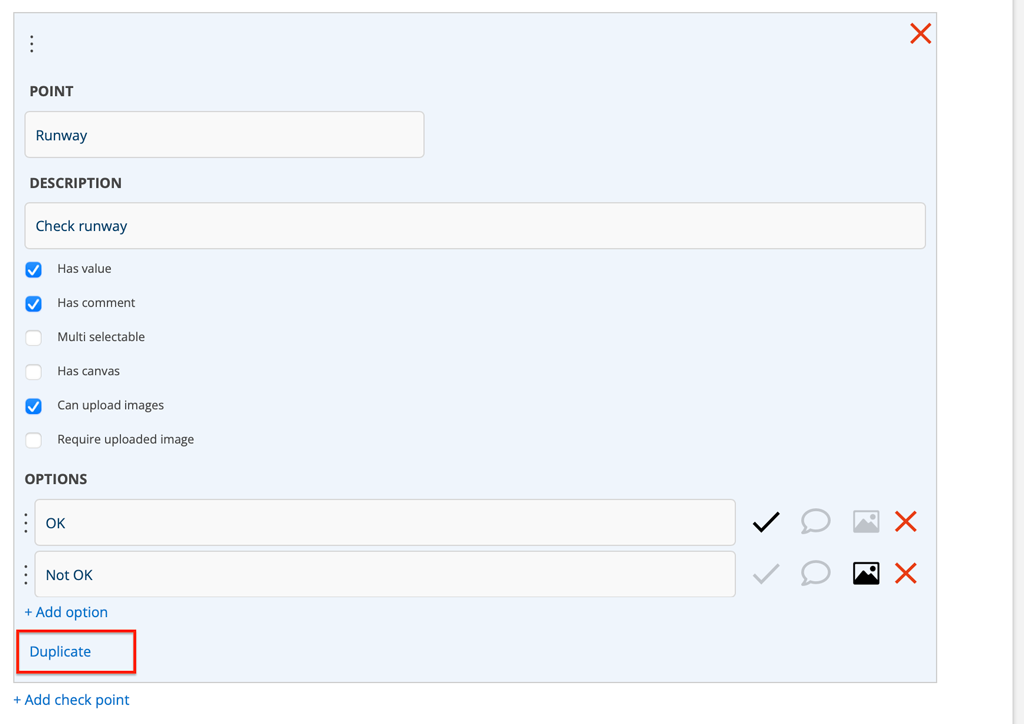
When you want to add points to a custom control that are similar to each other, you can now choose to “Duplicate” a point. The newly created point will end up at the bottom. If you need to rearrange the points, you can grab the three points and drag them to a different order.
Require image of self-check
When creating a self-check, you can now set a picture to be required to complete the self-check. Read more in the article Create and handle Self-checks.
Link print template for work and service orders to order type
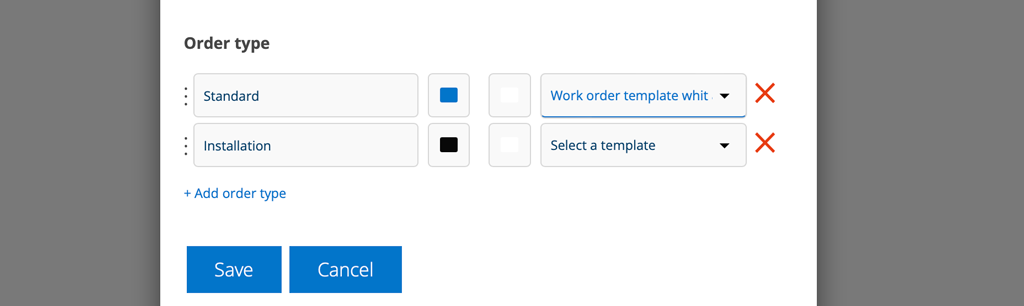
By selecting the “star” on a print template, you choose which print template should be at the top when you click “Print”. Now you can also control which print template should be used depending on the order type of the order. The setting here takes priority over the “star”. You set this in Work Order Settings or Service Order Settings – Order Type.
Admin permissions are required.
This works on work and service orders but not for the collection function printing or printing service protocols.
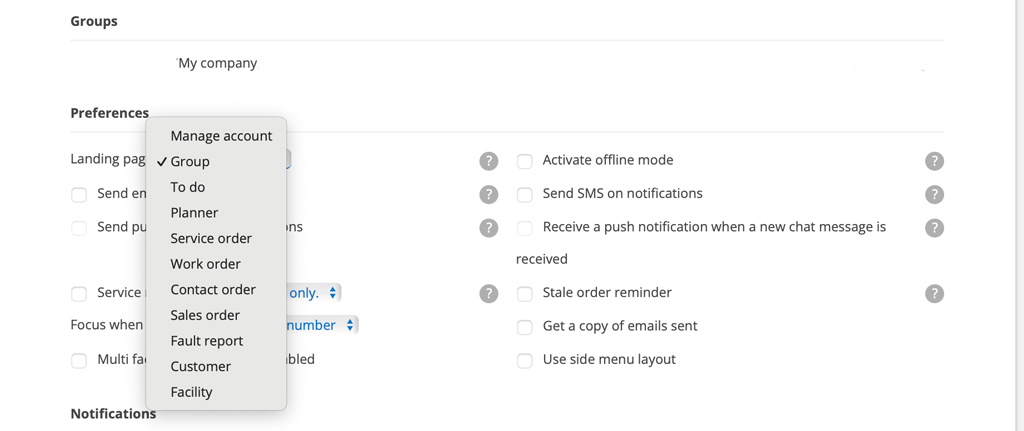
New start page choices
In your Account Settings, you can choose which page will be your home page. We have added the Facility and Customer home pages to that list.
You can access your account settings by clicking on your username (email address).
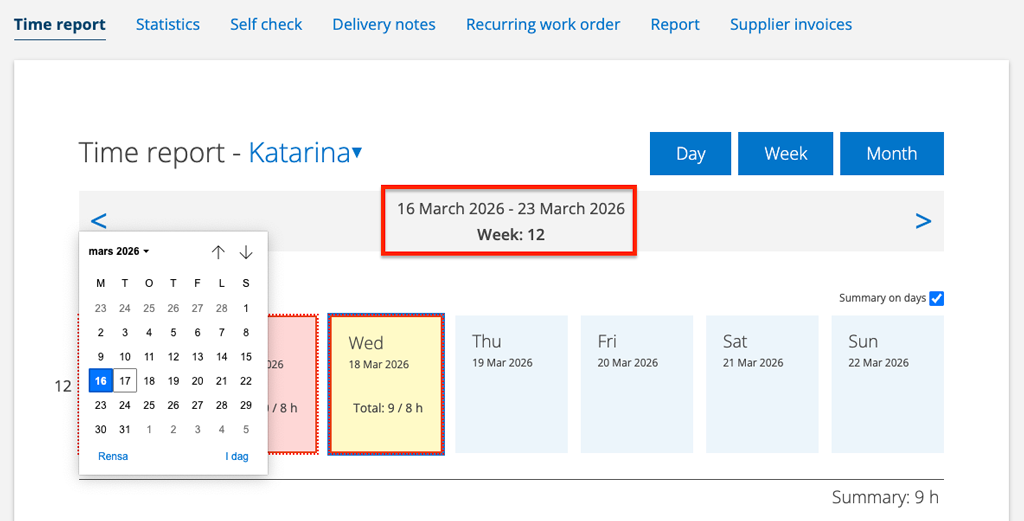
Time report has a date picker
Click on the date and a date picker will open to make it easier if you want to go back far in time.
The date picker may look different depending on which browser you are using.
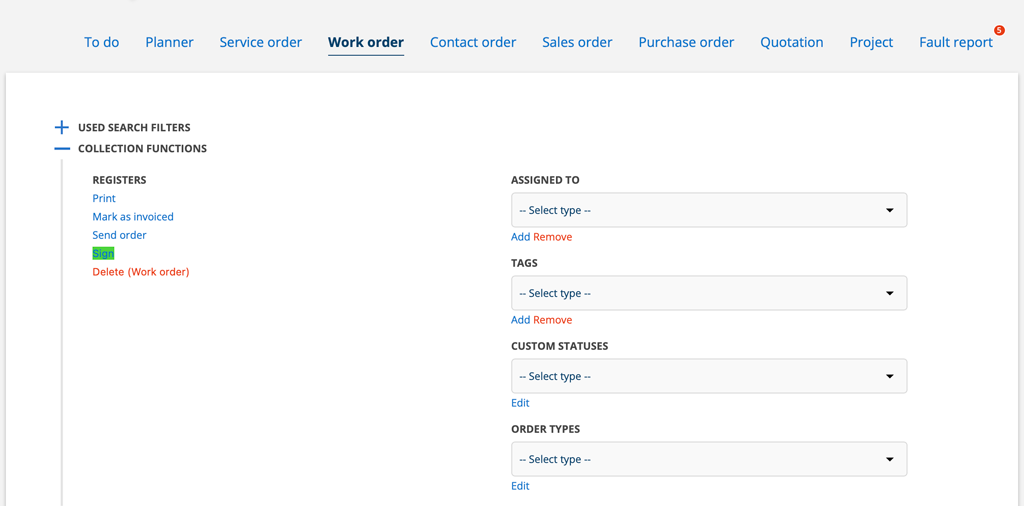
New possibilities in the collection function
We have added the ability to use the collection feature to change the value of custom statuses and order types for work orders and service orders.
For sales orders, you can change custom statuses.
Which address should be the delivery address?
When you click on “delivery address” on the quote, all of the customer’s addresses are now displayed.
Contact person if you have specified a “Invoiced to”.
If the order has an “invoiced to” contact persons from that customer are displayed. This applies to work orders, service orders, sales orders and service objects.
NOTE: If you change or delete the customer that is “billed to”, the contact person will not be cleared.
More information about these will be coming soon:
What went wrong when uploading records?
Ability to enter coordinates as an address.
The quote description is now added as a Status on sales orders.
Show total amount directly on order, as well as tax reduction in real time. You no longer need to save to see what the total will be.

