
26-01-20 – News concerning Agreement and Work order
Work order news
Fast add
Fast Add is now also available for Articles to be Ordered on Work Orders. Fast Add means you don’t have to click Edit on a work order to add articles.
You need to have chosen the Work Order Settings – Use fast add articles and Show articles to be ordered. The setting requires admin permission.
New setting when creating new service objects
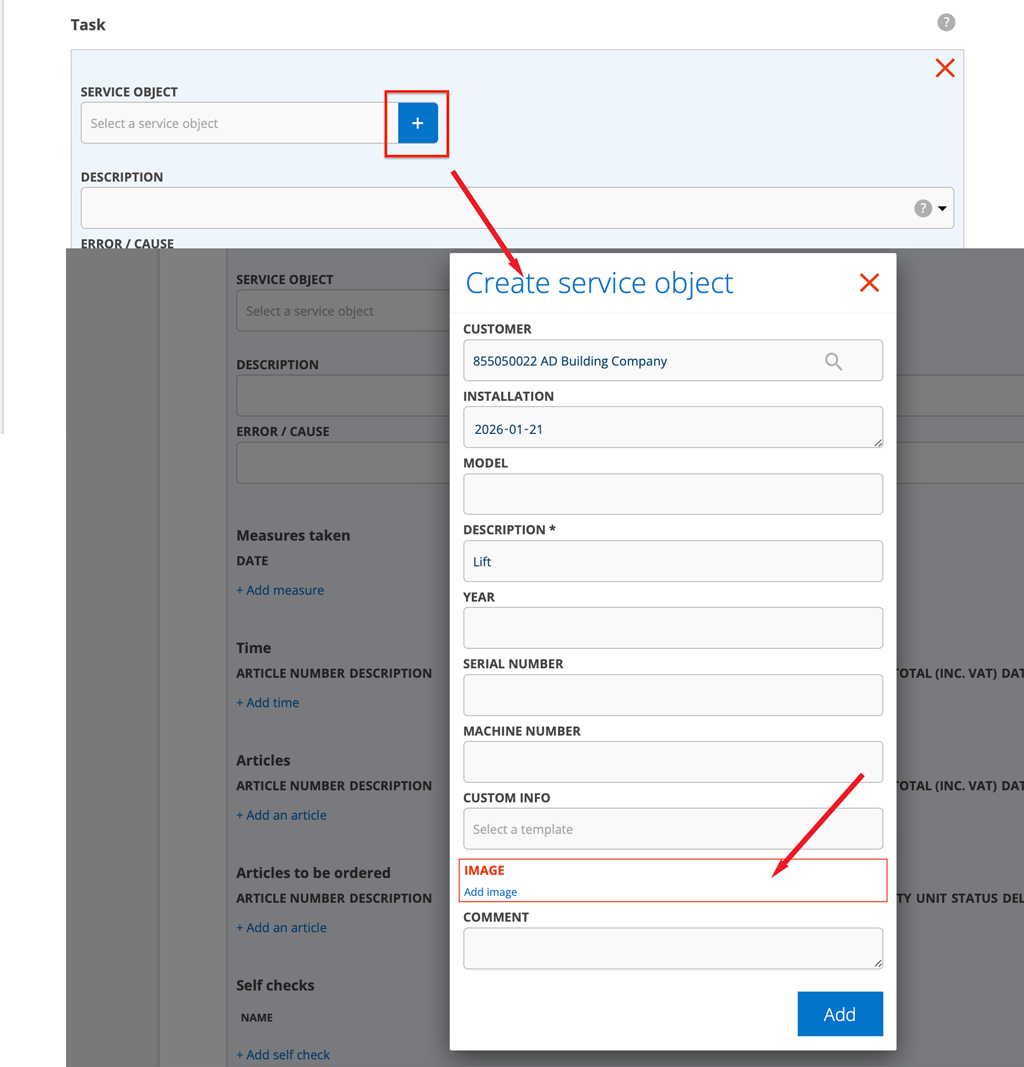
Require service object picture on create
When you create a new service item by clicking the + symbol in the Service object field on a Work Order, you must also add an image.
The setting requires admin permission.
Good to know concerning “Save contact person on facility and customer cards”
The Work order setting “Save contact person on facility and customer cards” also applies to Sales order, Contact order and Fault Report! The save setting is default.
How to adjust agreement prices
Have you created agreements where invoiced prices need to be indexed?

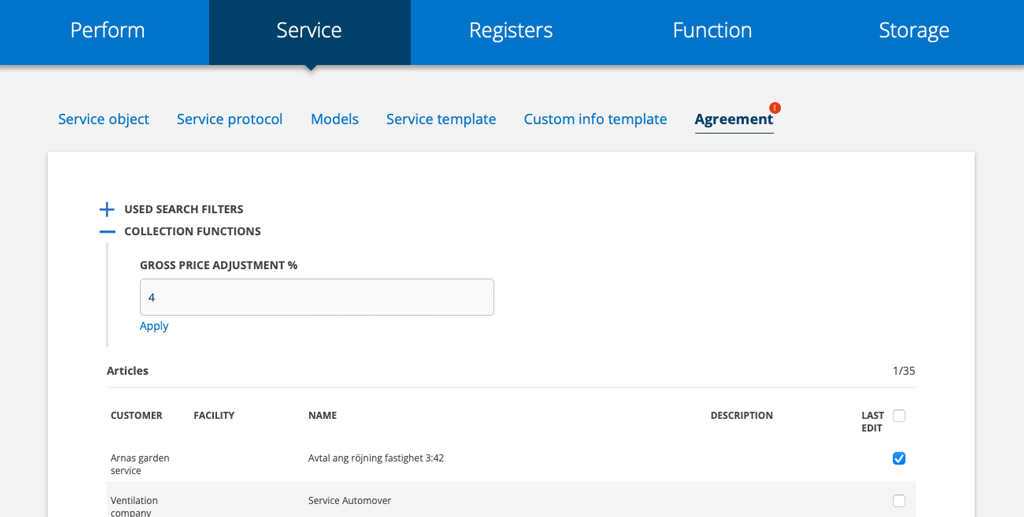
Do this:
- Go to Agreement
- Click on the collection function symbol
- Mark the agreements to be adjusted
- Enter a percentage in the Discount Gross Price Adjustment % and/or Gross Price Adjustment % field.
- Click Apply

