
26-10-29 – Save filter, Message history, service object map …
Updated 26-11-04
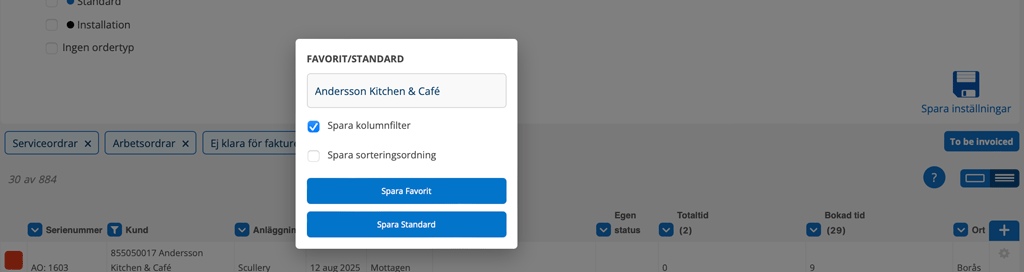
We have updated the filter function
You can now save searches in a column or sort order.
Learn more in the article Save filter as favourite.
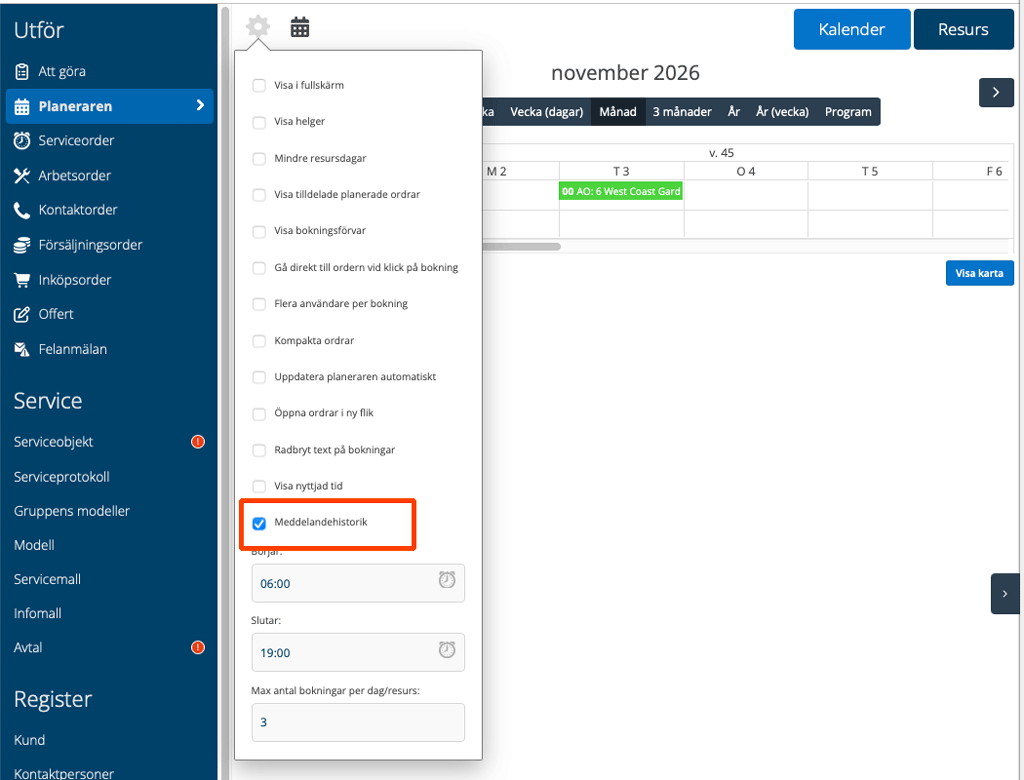
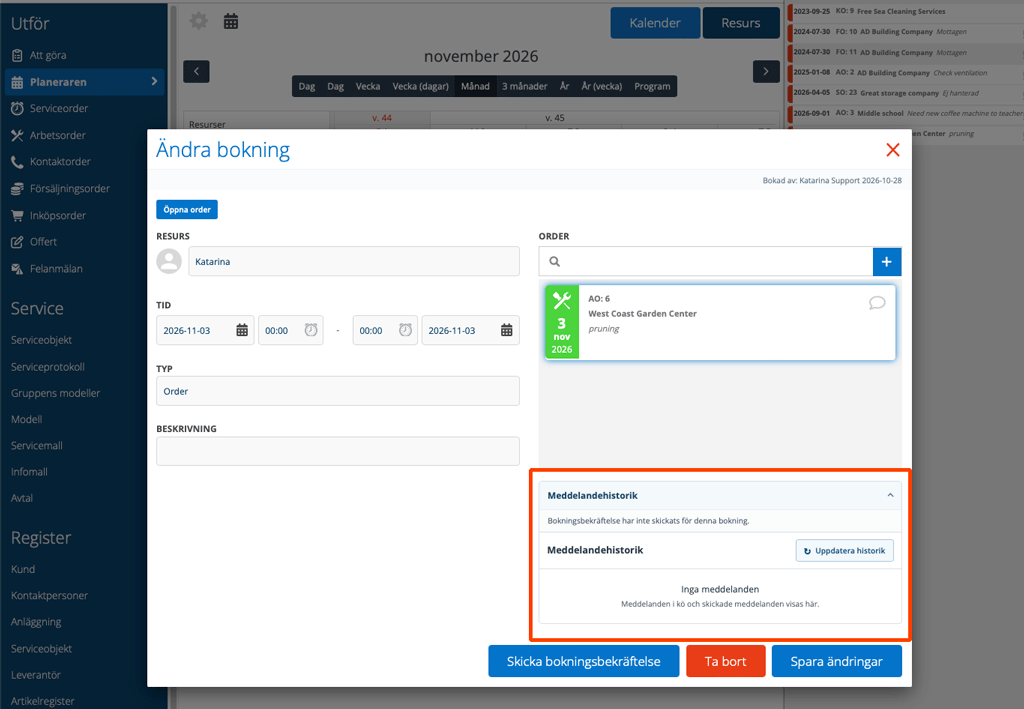
New setting in the Planner
Do you want to see the message history, i.e. which emails and booking confirmations you have sent from an order, when you open an order in the planner?
Then click on the gear wheel and select Message history.
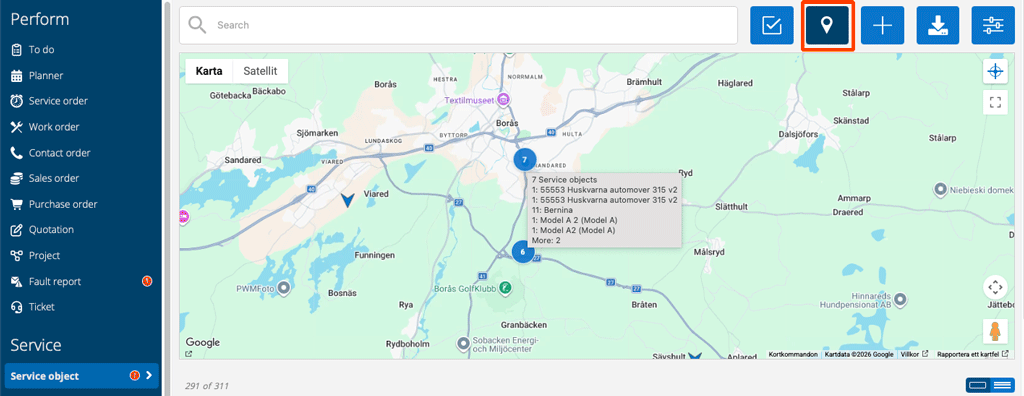
Some fix with the map of service objects
If you have multiple service objects in a position, the service objects are grouped and you see the number in the circle. Hover your mouse over the circle and you will get a list of the objects. If there is only one, the blue arrow is still displayed.
Specify print quantity before delivery and more info about reservations
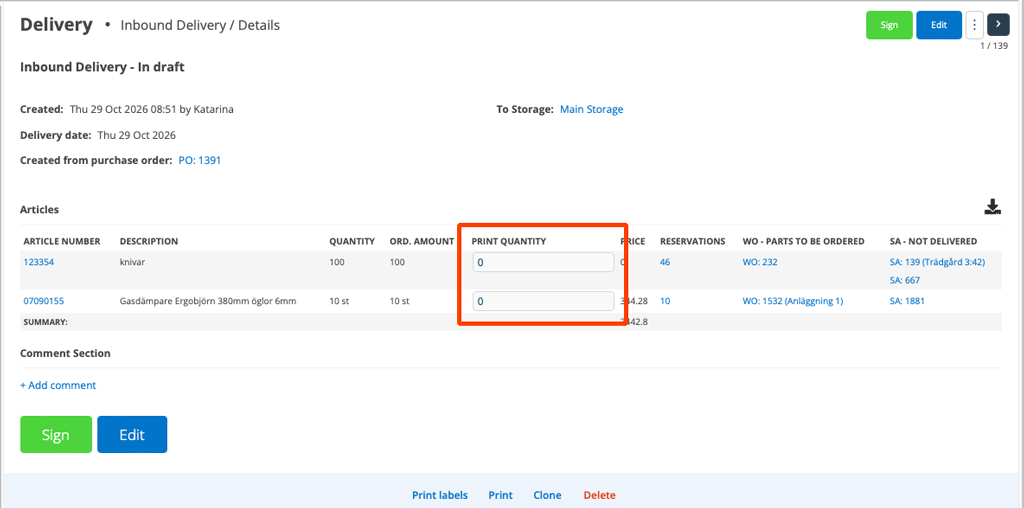
When you make a delivery, you can directly enter the number of labels to print. Previously, you had to open the delivery to enter the quantity.
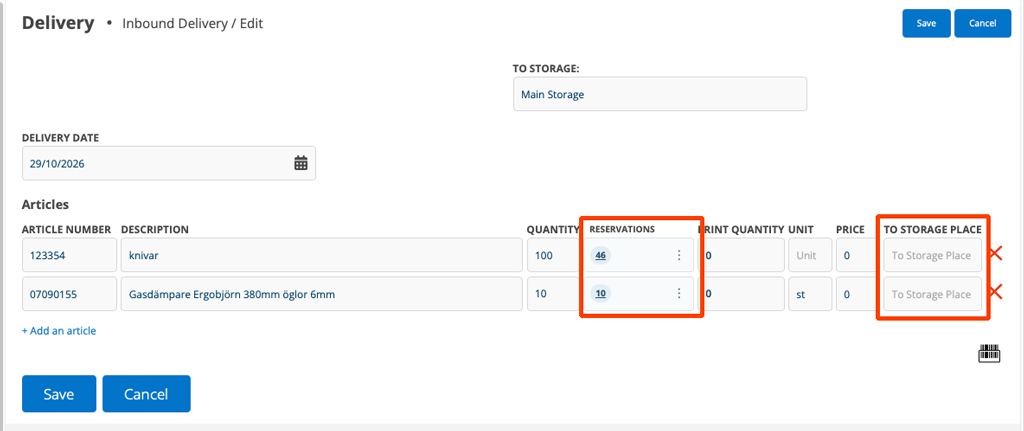
If you click on the number under Reservations, you will see which words the article is reserved for.
If you click Edit, you can easily specify the storage location.
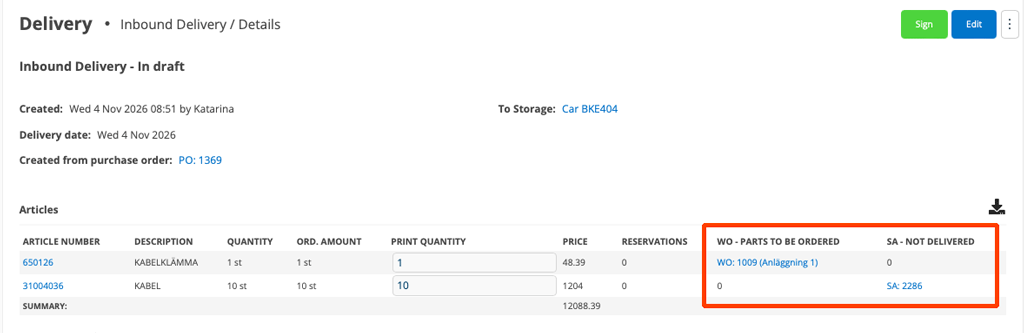
If the delivery is made from a purchase order, you will now also see more information about the sales order and delivery status, as well as whether the articles are those that should be ordered. See image 3.

Select notifications on Fault report
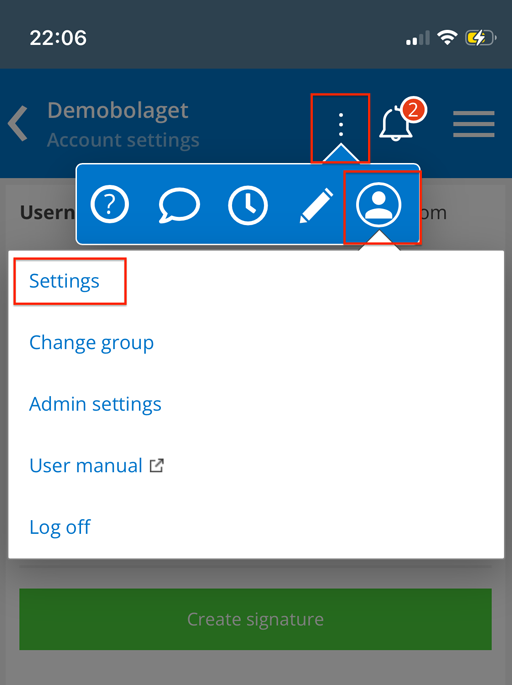
If you don’t want all notifications, but only those assigned to you, those assigned to your user group, or no new ones, select this in your Account Settings. To access your account settings, click on your username.
Not sure where to find your account settings? See image (mobile).

