26-10-30 Self-check conditions
A condition group in the self-check controls when a checkpoint should be displayed, based on responses or values at previous checkpoints.
Do this to create condition groups
In the self-check template you will see the text “SHOW ONLY WHEN”.
- Click on “Add condition group”.
- Select which previous checkpoint the condition should read from and what answer or numeric value is required.
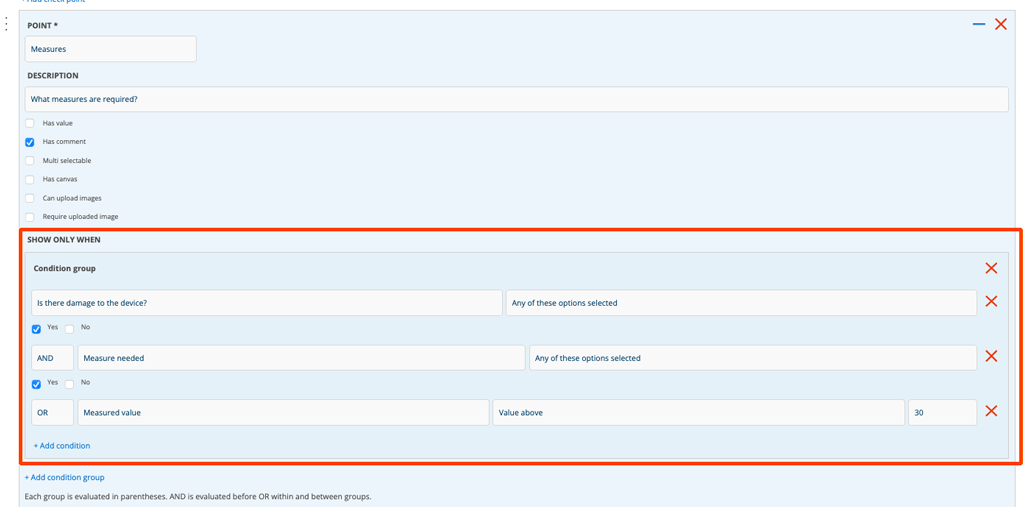
Example: Show the “What measures are required?” checkpoint when:
- You answer Yes to the question “Is there damage to the device?”
- Under AND ”Measures needed” = Yes.
- OR ”Measured value” is greater than 30.
Each group acts as a parenthesis. AND is evaluated before OR, both within and between groups.
Below you can see what it looks like when you create self-check with both AND and OR
If you answered No to the point “Is there damage to the device?”, these points will not be displayed at all.