
26-05-26 – Update suppliers, self-checks and WO settings
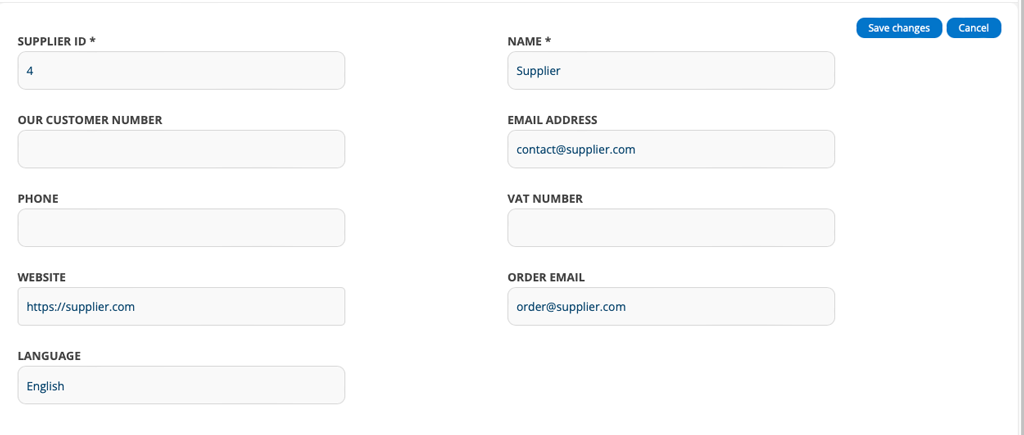
News concerning suppliers
You can now add a separate email address for placing orders with a supplier. This is to be able to distinguish between ordering from and contacting a supplier.
When you click Send email on a Purchase Order, the system first retrieves the supplier’s order email, if it does not exist, the email address of the supplier’s contact person is retrieved, and if it does not exist either, the email address you entered in Purchase Order Settings is retrieved.
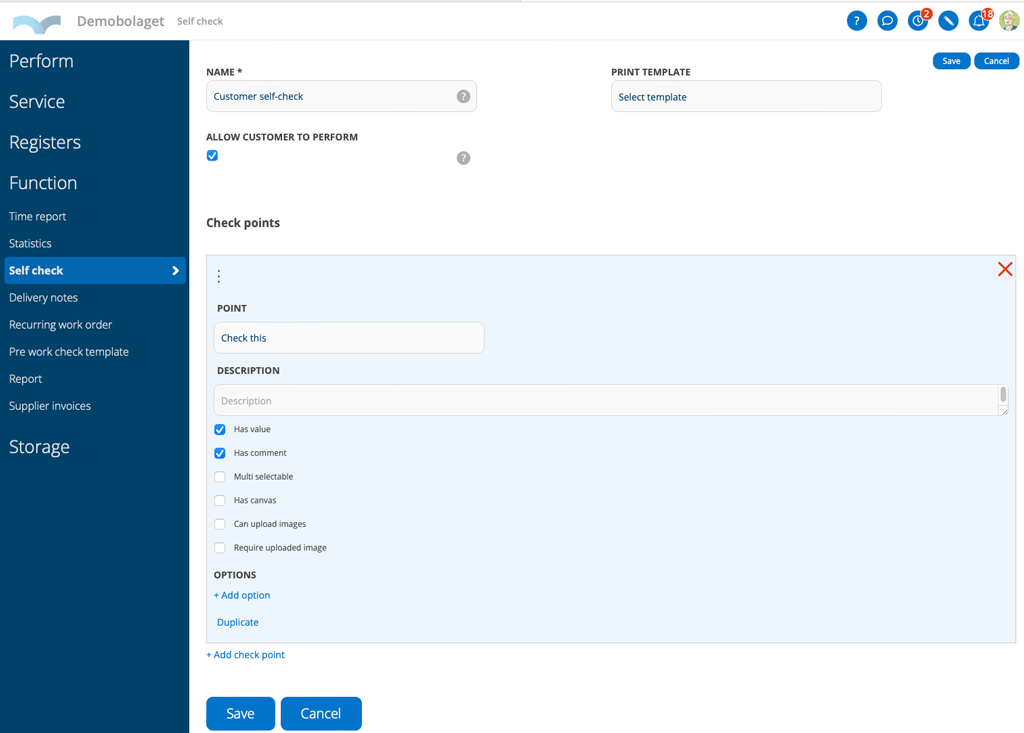
Should customer users perform self-checks?
If you want customer users to be able to perform the self-check, check the box “Allow customer to perform” on the self-check. Customer users can then add, perform, and sign it on service objects as customer users.
Customer users who are to be able to perform self-checks need these permissions:
View (Self-check)
Edit (Service object) or the service object permission Reading.
or that you have the following module setting:
The service object setting “Allow anonymous self-checks” which gives anonymous users the ability to see self-checks that have “Allow customer to perform” selected.
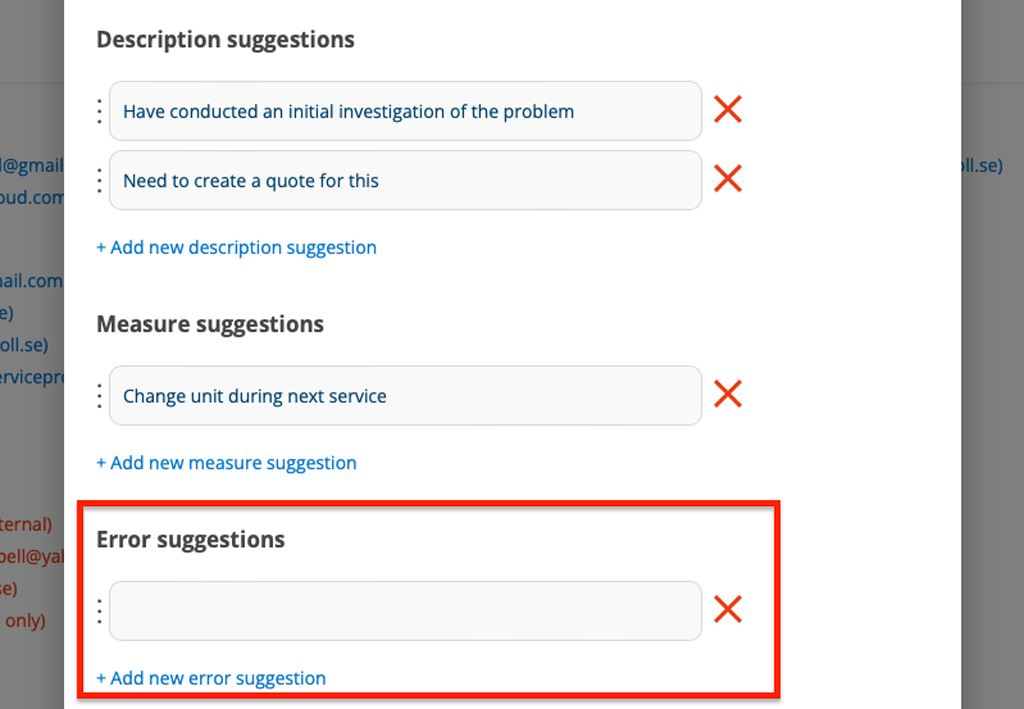
New feature on Work Order Settings – Add error suggestions
Do you often have the same error/cause? Make it easier for those who are going to create or execute the work order by adding error suggestions to choose from, just like with description suggestions and measure suggestions.
Learn more about Work order settings.
The setting requires admin permission.
Change regarding summarising the number of files on the customer card
Below the list of work orders, there is a column that indicates the number of files uploaded to the order. The number now includes images that you have uploaded to actions.

