
26-06-26 Choose how you want to receive notifications
Set your notifications
For each function, you can now choose how you want to receive the notification – email, SMS and/or push notification.
It is now possible to control SMS/email/push in more detail per type of notification, so that, for example, you can have SMS activated for tag subscriptions without also having to receive SMS for assigned orders, changes or comments on assigned orders.
We also separated:
- when being assigned to an order
- when an already assigned order is changed or commented on
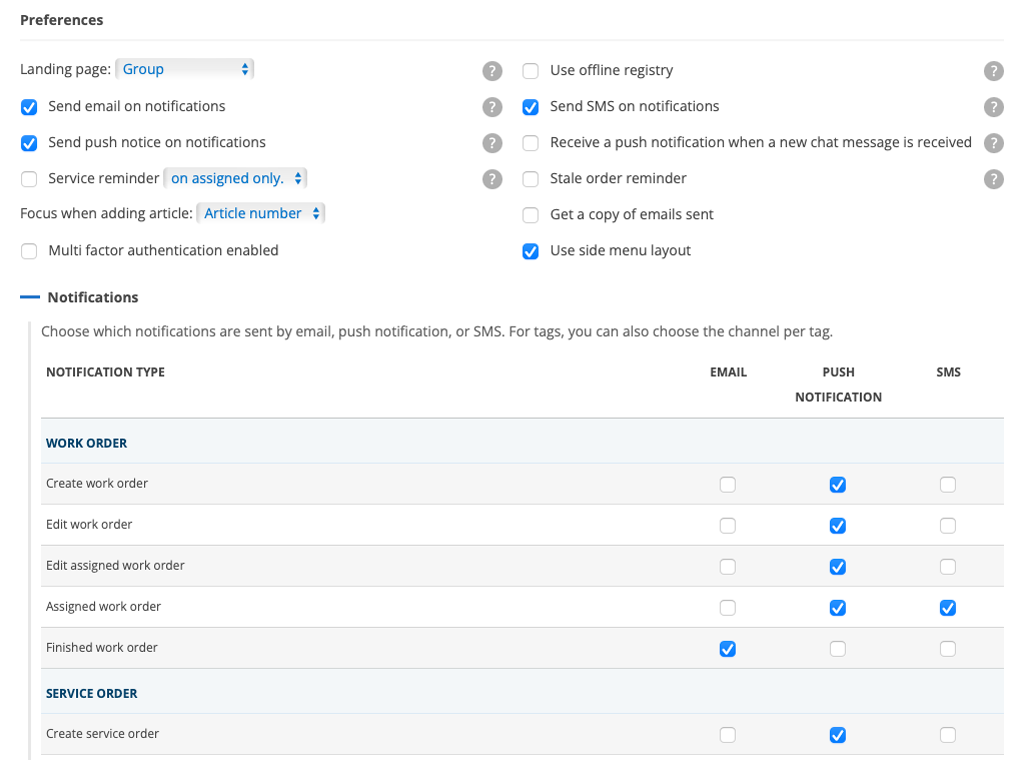
This means, for example, that “Assigned work order” only controls the assignment itself, while “Edit assigned work order” controls changes and comments on work orders you are already assigned to.
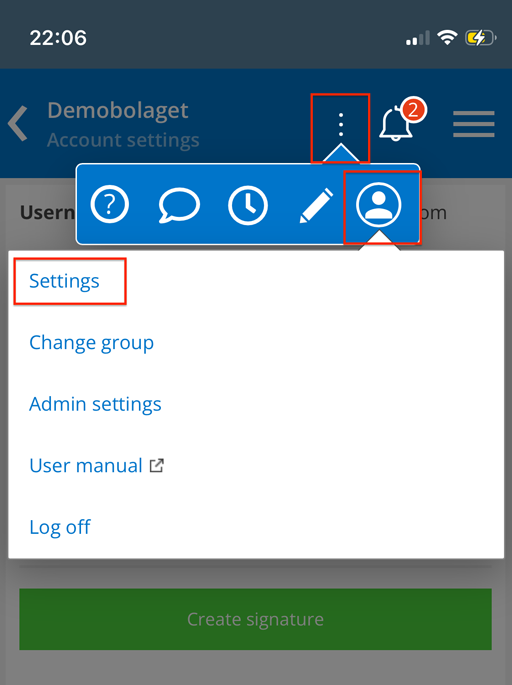
You can make the settings in your account settings, which you can access by clicking on your username. On a computer, it’s at the top right. On mobile devices, under the three dots, click on your account icon and then on Settings (image 3).
Scroll down to Settings.
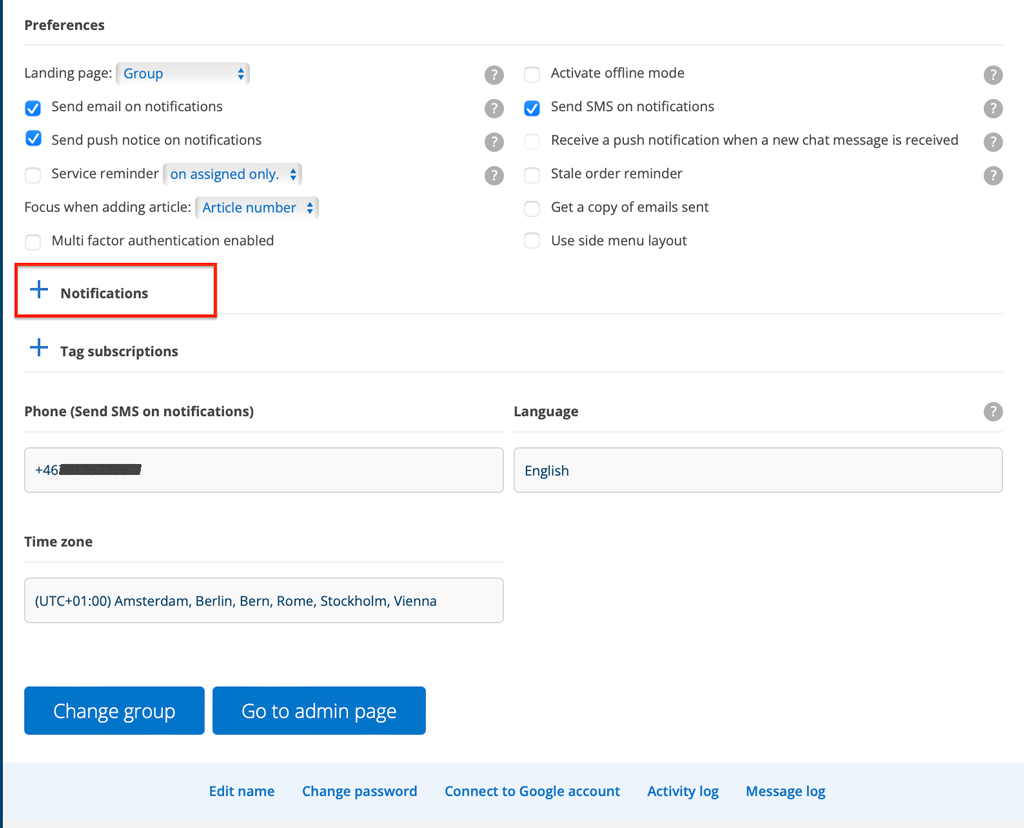
Start by specifying how you want notifications – see image 1 where all the variants are highlighted. Then click on the + symbol after the Notifications heading to open the list of possible choices.
Only the methods you have chosen can be selected. In image 2, the user has not been able to select push notifications, which is why there are no boxes to select under that heading.
Do the same with Tag Subscriptions
Similarly, you can choose how you want to be notified when one of your tags is used. Click + Tag Subscriptions to expand the list and make your selections.
For tag notifications by SMS, a short message is sent, for example “WO1234 has been tagged with URGENT”.
Post updated 26-07-13.

