26-07-09 – User groups in the Time Report
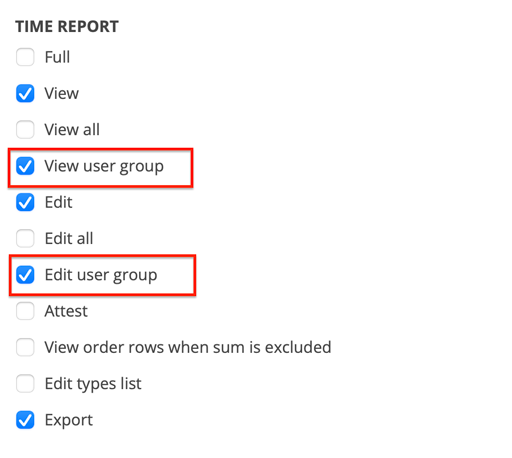
By giving a user the “View user group” and/or “Edit user group” user permissions for TIME REPORT, you give a user the ability to see time reports for everyone in the user group they are part of.
Learn more about User groups.
The setting requires admin permissions and is done by clicking on a user in Group Settings and selecting Edit permissions.
Learn more about User permission settings
Example: The company has two user groups (admin and technician) but this user should only see and change time reports for the Admin group, which is the group they are part of.
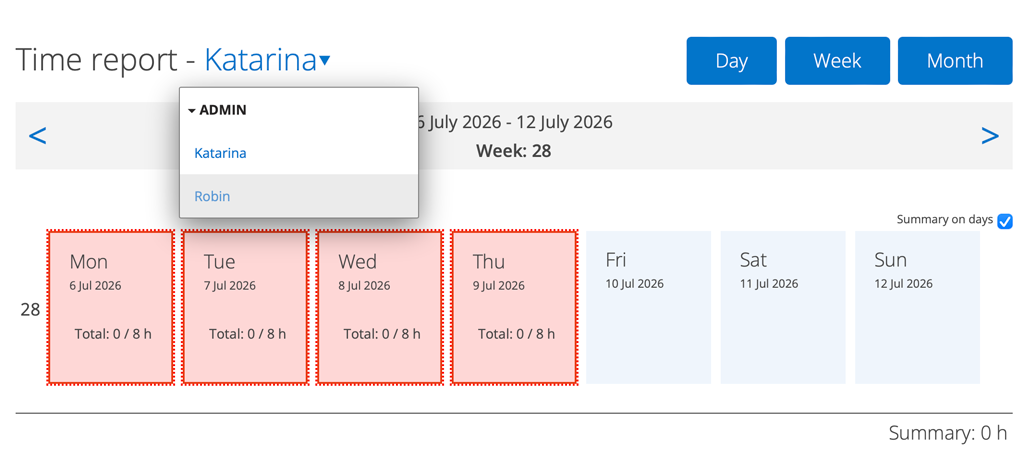
To see the other users, click on their name and a list of names will appear.