
26-06-02 – Standard surcharge supplier invoice, quick addition to protocol, search for service objects on SO …
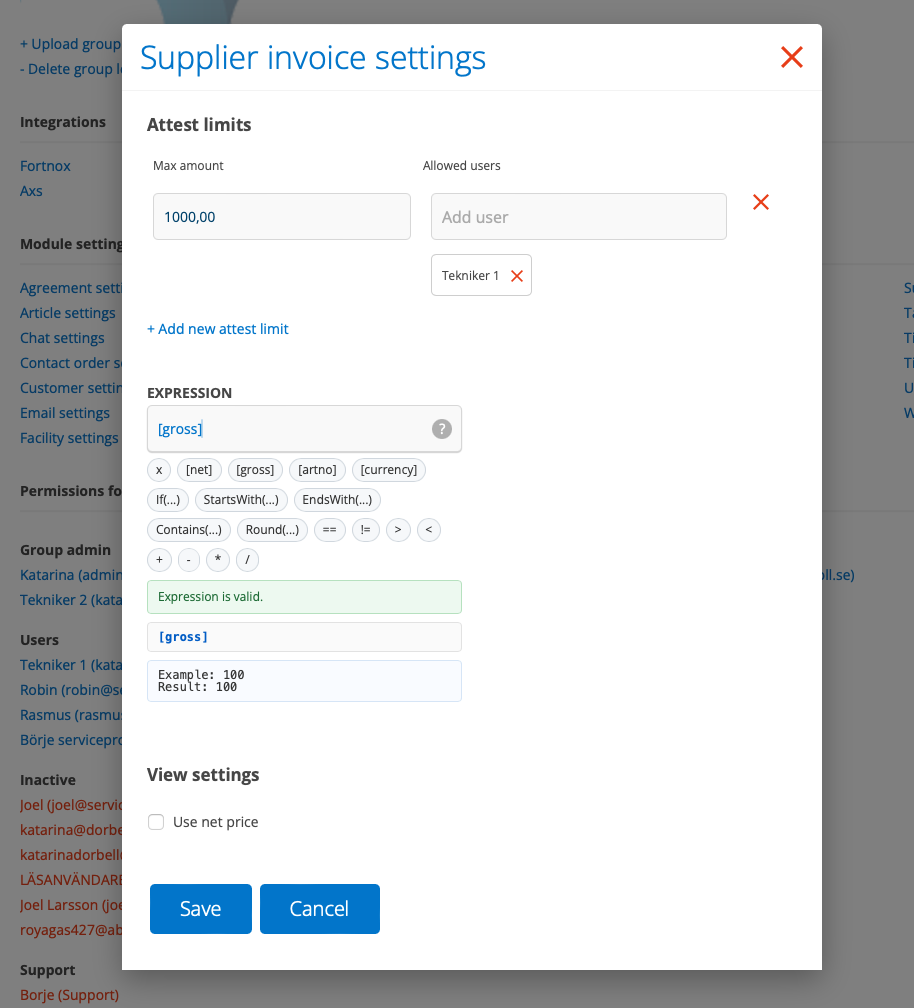
New settings for supplier invoices
Supplier invoices have two new features:
- Setting for attestation permissions
- Set standard markup (Expression) in the same way as you can do per supplier in the integration settings.
Requires admin permission
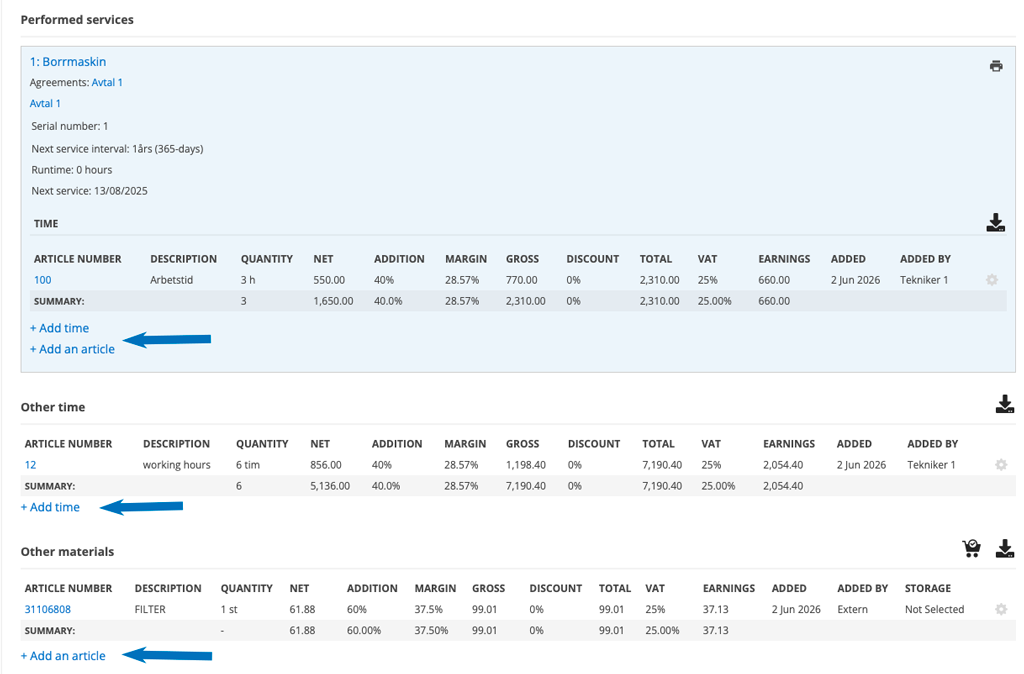
New service protocol settings to choose from
“Allow adding articles to performed service object parts/time from details view” and “Allow adding articles to service protocol “other materials/time” from details view”.
When you select this setting, +Add time and +Add articles appear on the service protocol.
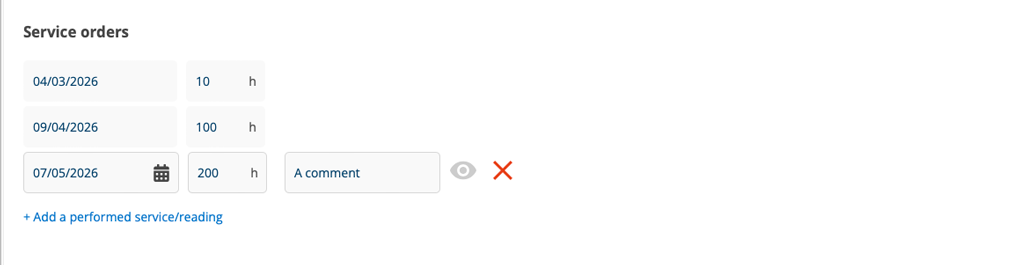
Comments on manually added performed services
When you add a performed service to a service object, you can now add a comment.
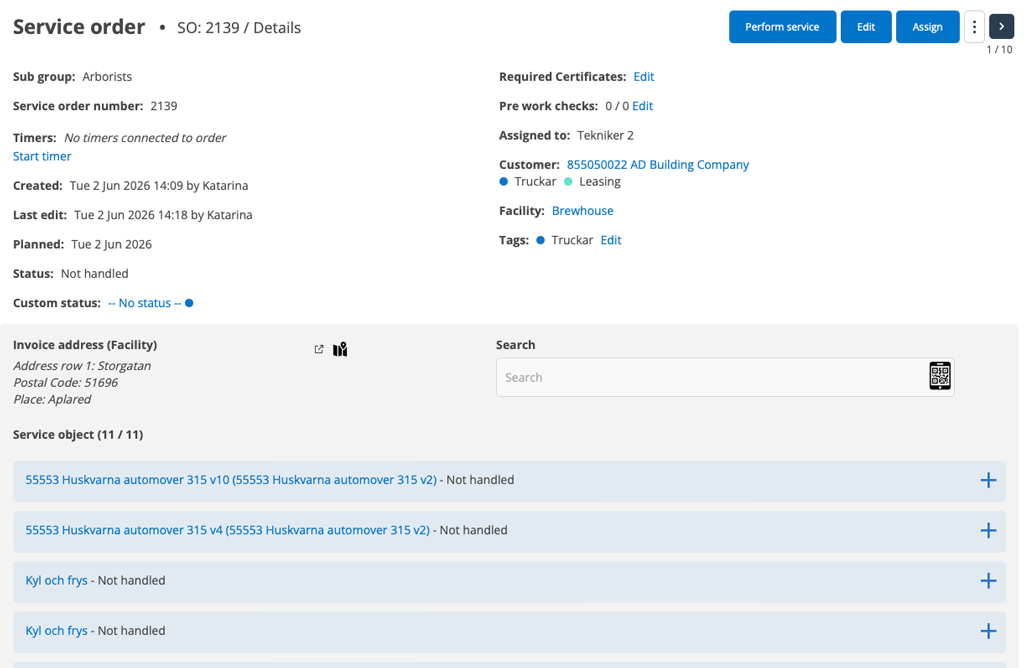
Number of service objects and search on the protocol
If you have 10 or more service objects on an order, you can now search among the service objects. You can search by description, model, machine number, serial number or scan a QR code on the object.
You see the number of service objects on the order (in the screenshot there is 11/11) and if you search, the first number shows the number of hits you get in the search.
This makes it easier, especially when you are performing partial services and cannot perform the service in the order in which the objects are located.
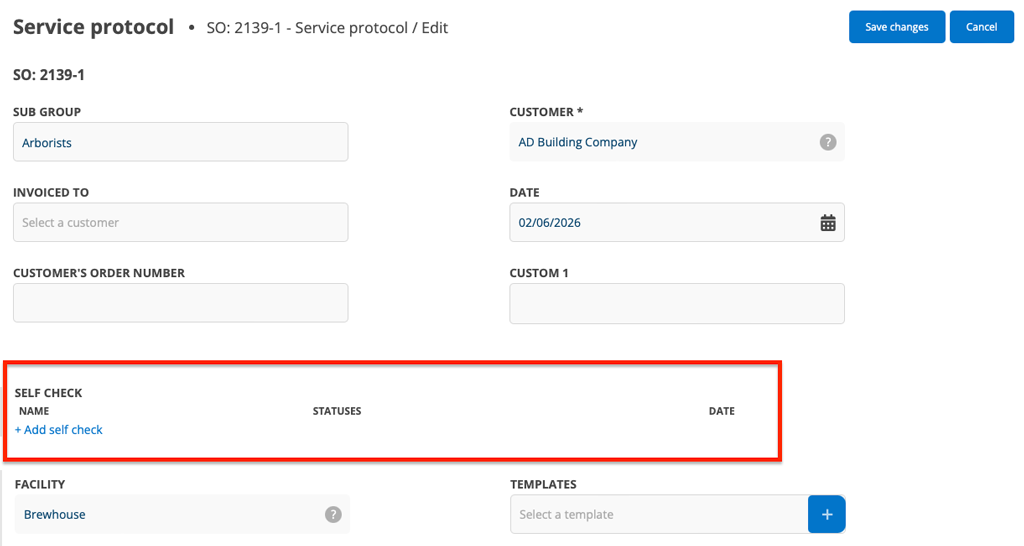
Self-check on Service protocol
You can now add Self-checks in Perform/Edit mode on Service protocols.
Mandatory self-checks continue to work as before: they appear when required and cannot be removed.
The Map
We have gone back to Google Maps. Unfortunately, the alternative map did not work as well as we wanted.
Quote + Customer + custom fields
By creating custom fields that are the same in Customer Settings as in Quote Settings, the information from the customer card is sent into quotes that you create for the customer.
As usual, you must be careful to give the custom fields exactly the same name for this to work.

