
New settings January – February -26
To make it a little easier for those of you who are choosing service protocol settings, here is a summary of new possible settings added in January – February this year.
Service object settings
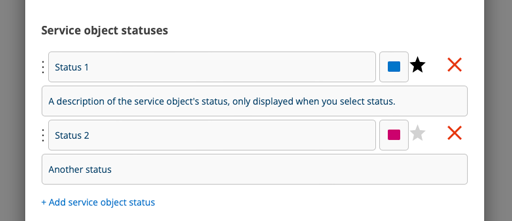
Standard Service object status
If you set which status should be the default, you don’t have to choose a status every time you create a new service object.
Click on the star after the status that should be the default so that the star turns black.
Requires model
To be able to create new service objects, you must select a model.
Require service object picture on create
The Description field is not displayed, but Model is instead mandatory.
Work order settings
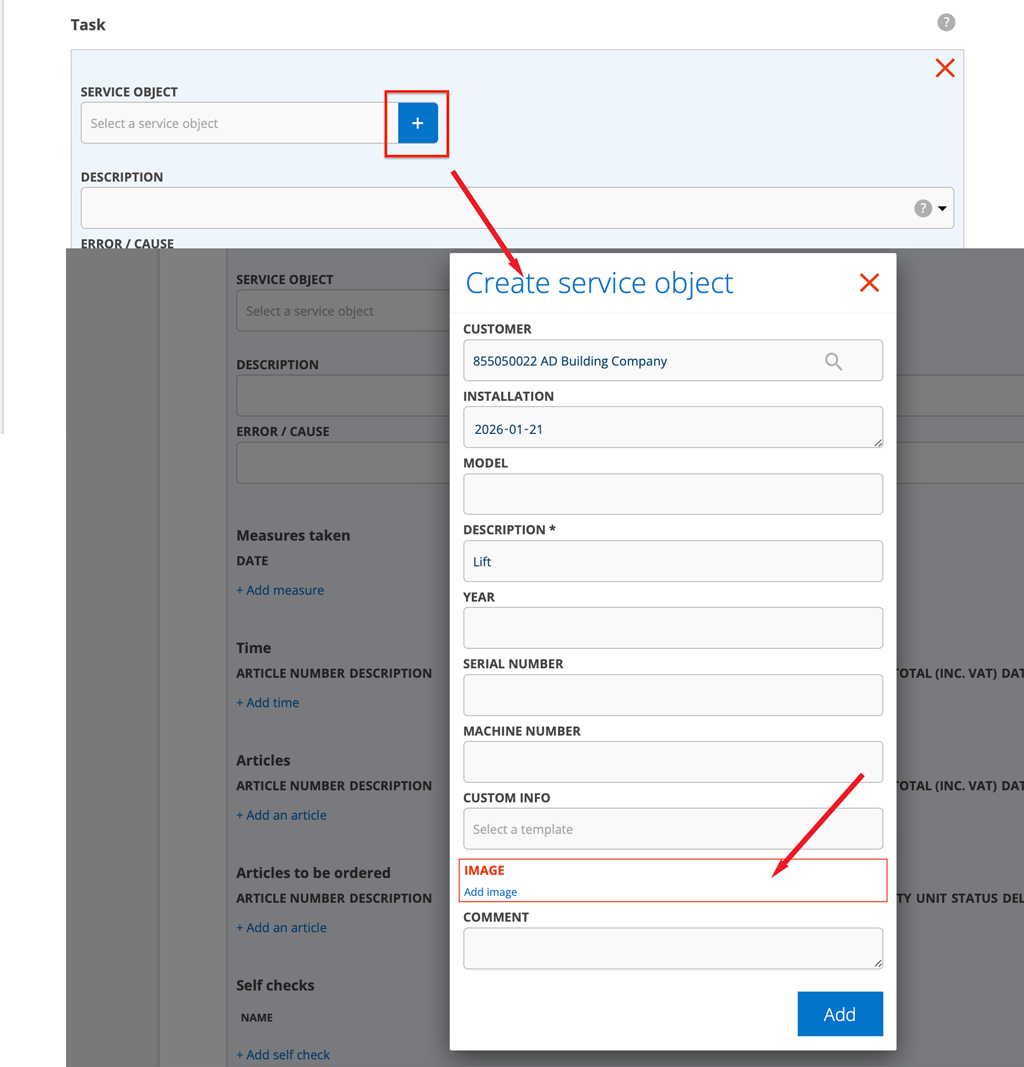
Require service object picture on create
When you create a new service object by clicking the + symbol in the service object field on a work order, you need to also add an image.
Require order type to save order
You cannot save the work order without selecting an order type. Learn about order types here.
Require measure to mark orders as ready
You must add a measure to mark the work order complete.
Save the contact person on the facility and customer card
The setting now also applies to sales orders, contact orders and fault reports. The setting to save is selected by default.
Article settings
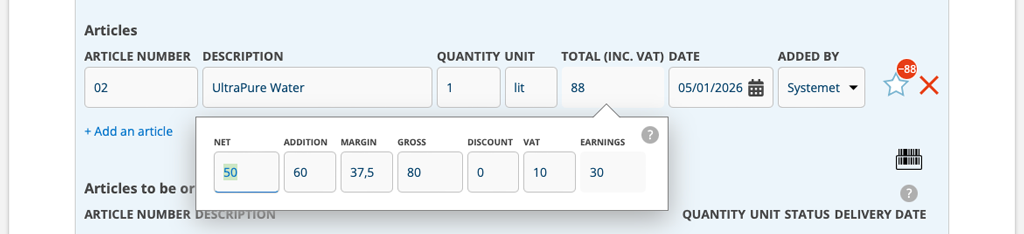
Use VAT per article row
When you want to be able to change the VAT on an individual article, select the article setting “Use VAT per article row”.
Without this article setting, the VAT field is locked, meaning you cannot change the VAT. With this setting, you can change the VAT on the article row.
Conditions: The customer setting “Show VAT type” is required. Admin permission are required to activate the setting.
Note:
- If you have the permission to see gross price, you will now also see VAT per article row.
- In edit mode (Edit), the total price per line is shown including VAT, while the detail view shows the price excluding VAT.
- If the VAT field is left blank, the default VAT or VAT set on the article will be automatically loaded when you save the order.

