
26-10-06 – Create self-checks more easily, set Default articles on Time and add images to Time report
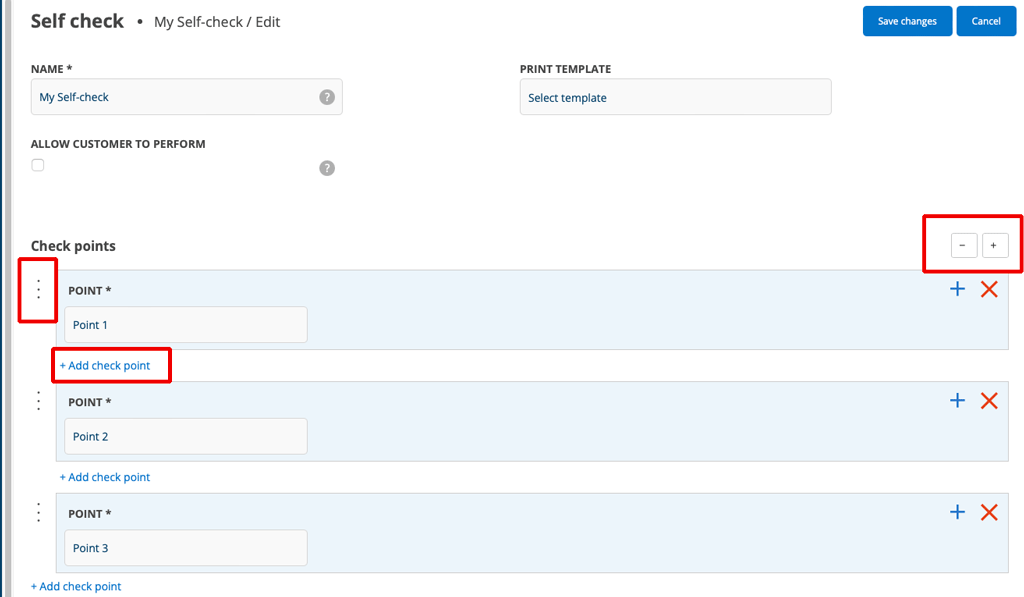
Easier creation of self-checks
- Control points can now be inserted directly between two existing points. Previously, new points ended up at the bottom and had to be moved.
- • Each point can be collapsed so that only the name is displayed.
- • The Collapse All and Expand All buttons make long templates easier to navigate. Click + or – to open and close.
- • A duplicate point is placed directly after the original, not at the bottom as before.
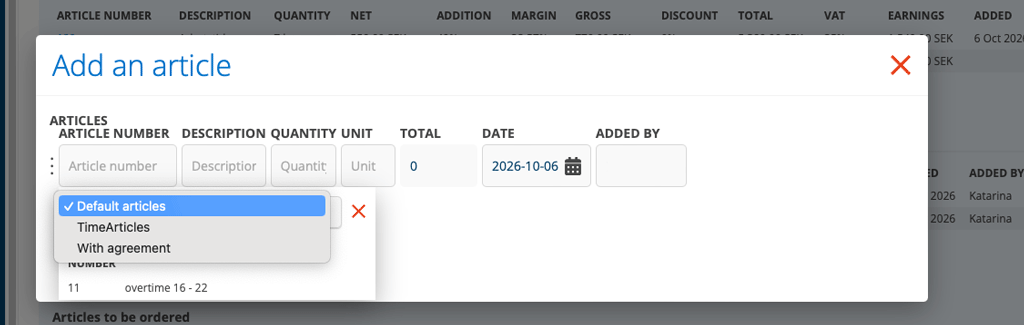
Default articles on Time
If you have chosen to separate time articles in Article Settings, you have previously not been able to use the Default articles function. Now you can!
To select which articles should be displayed under Default articles, select “Show as Default search” on the article entry.
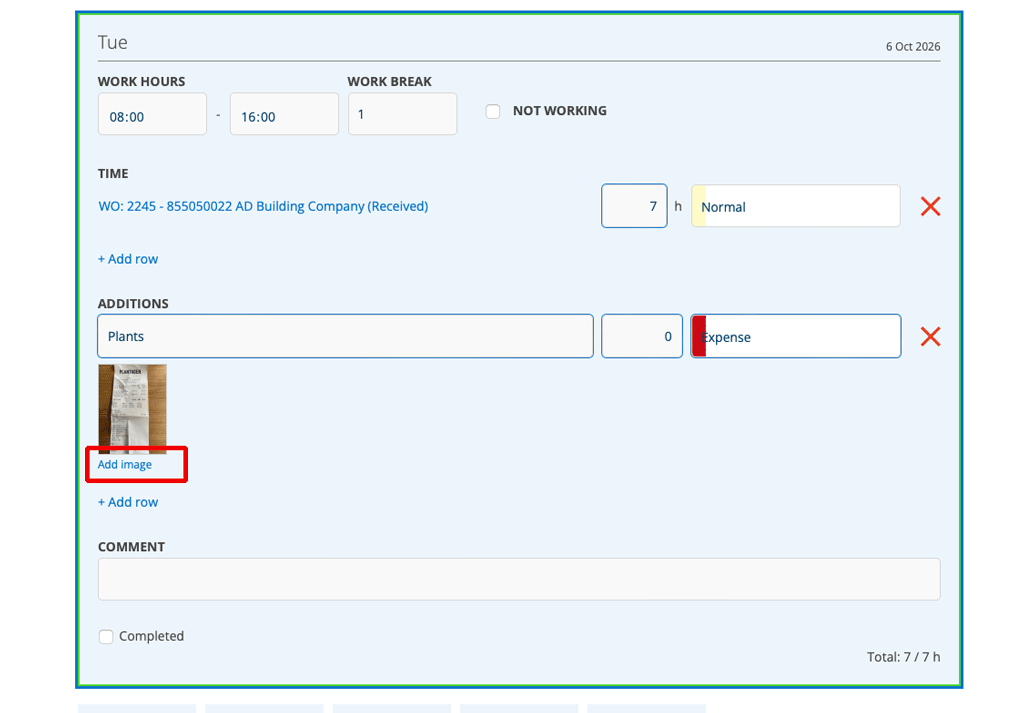
Add photos to your time report
Would you like to be able to upload a photo of your parking receipt or other expenses? There is now a link “Add image” under the heading Additions in your time report.
Requires that you have activated Time report Settings – Use Additions.
The images are not sent to ERP.

